Got Run Not? — User Guide
A running assistant that keeps you on your toes..(literally): get a plan for your goal, log a run in seconds, and stay honest with buddies and a Hall of Shame.
1. Getting started
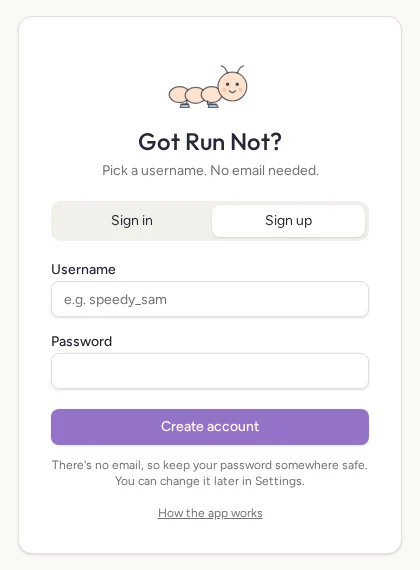
- Open the app and choose Sign up.
- Pick a username (3–20 letters, numbers or underscores) and a password (6+ characters).
- Tap Create account.
There's no email on your account, so keep your password somewhere safe. You can change it in Settings → Password while signed in.
To sign out, tap the @username pill in the header and choose Sign out.
2. Pick your path
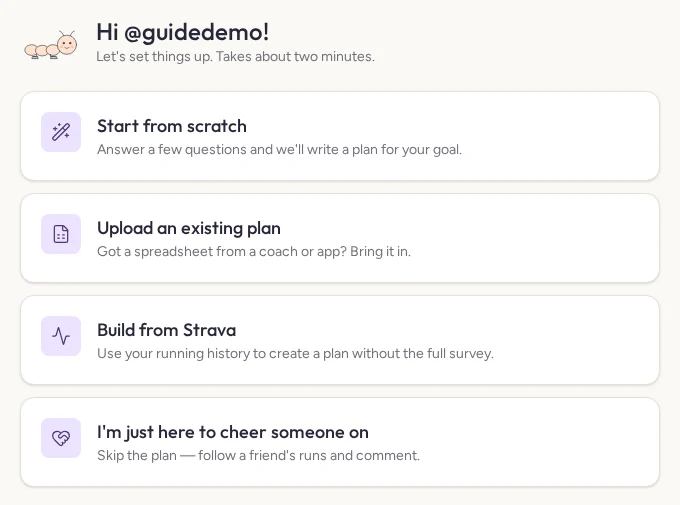
| Path | What happens |
|---|---|
| Start from scratch | A short survey, then AI writes a week-by-week plan for you to review. |
| Upload an existing plan | Bring in a spreadsheet you already use. |
| Build from Strava (beta) | Pick Day 1, preview your history, and get a plan from your recent training. |
| Cheer someone on | No plan. Follow a friend's runs, cheer and keep them honest as an accountability buddy. |
Start from scratch
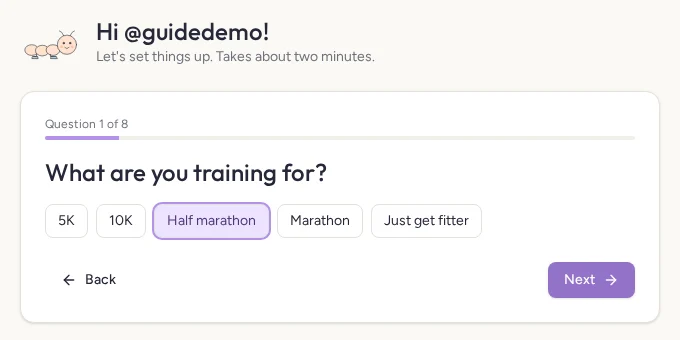
- Goal: 5K, 10K, half, marathon or just getting fitter.
- Race date, or "no date yet" for a 12-week plan.
- Where you are now: experience and longest recent run.
- Paces: easy pace and target race pace (both optional).
- Runs per week (1–10) and which days.
- Time available on weekdays and weekends.
- Anything else: other training, injuries or limits.
- How hard to push: gentle, balanced or ambitious.
Review the plan, then tap Try another, Change answers or Looks good — save it.
Easy runs get a time target (e.g. 50 min). Tempo and long runs get a distance target. Long runs build gradually, with cutback weeks and a taper.
Upload an existing plan
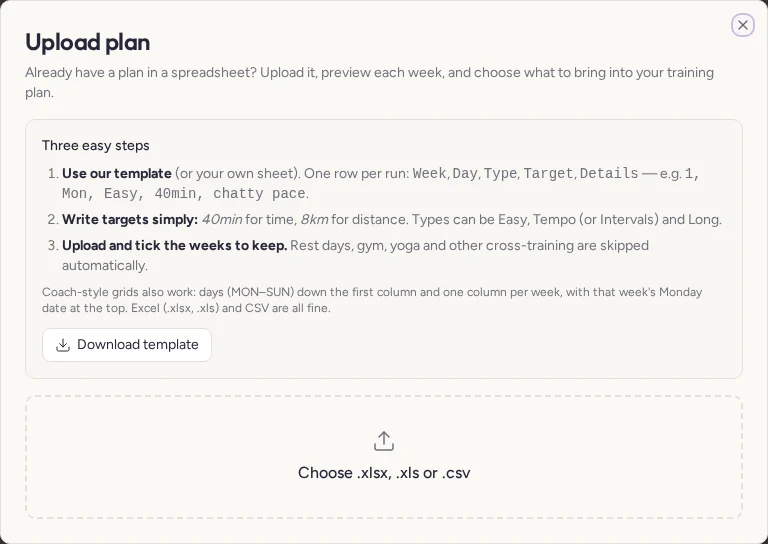
- Download the template, or use your own sheet.
- One row per run:
Week, Day, Type, Target, Details, e.g.1, Mon, Easy, 40min, chatty pace. - Write targets as
40minor8km. Types: Easy, Tempo (or Intervals), Long. - Upload
.xlsx,.xlsor.csv, tick the weeks to keep, then Import.
Coach-style grids work too: days down the first column, one column per week. Rest, gym, yoga and cross-training are skipped automatically.
Build from Strava (beta)
- Choose Build from Strava (beta) and pick Day 1.
- Connect Strava and allow activity access.
- Preview the runs from Day 1 onwards.
- Generate and review the plan. Nothing is saved until you confirm.
- Your Strava runs from Day 1 onwards are added to your log, and duplicates are skipped.
Accountability quiz
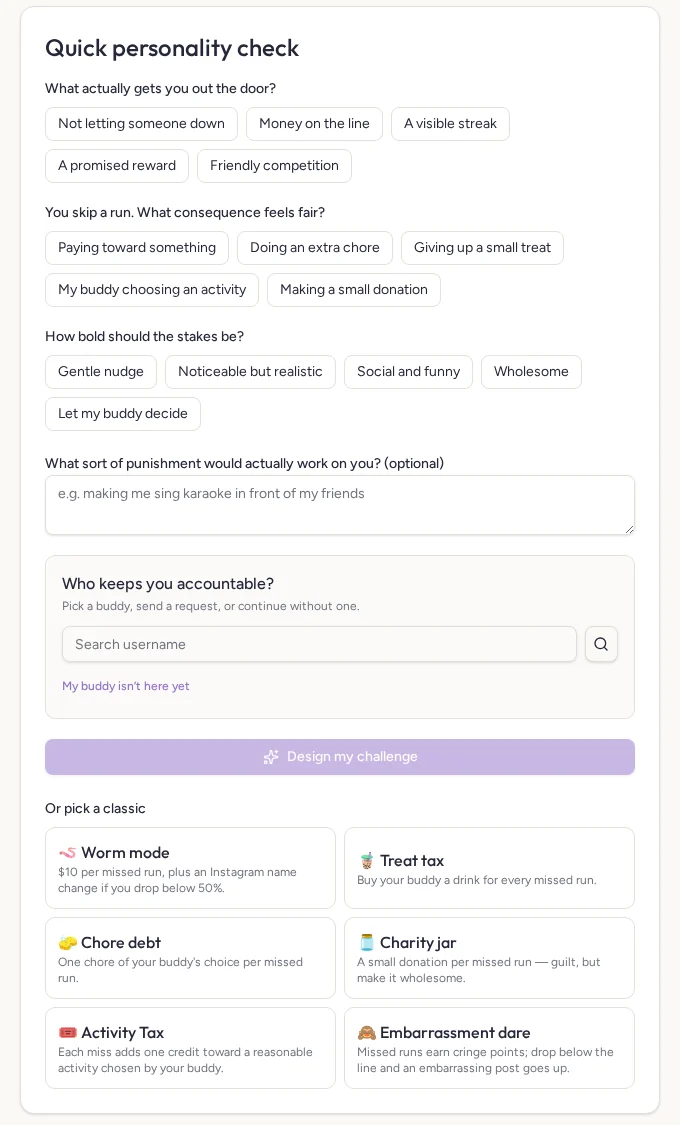
- Choose whether you want stakes. If not, you get a friendly Consistency page instead.
- Answer three quick questions and, if you like, describe a punishment that would actually work on you.
- Pick a buddy, search for one, or choose My buddy isn't here yet.
- Tap Design my challenge, or pick a classic.
| Challenge | Per missed run | Below the danger line |
|---|---|---|
| Worm mode | $10 | Instagram handle changes to @lan_duo_chong |
| Treat tax | 1 bubble tea | Shout the whole group a round |
| Chore debt | 1 chore | A full week of dishes |
| Charity jar | $5 donation | The jar doubles |
| Activity Tax | 1 activity credit | Pay for a reasonable activity chosen by your buddy |
| Embarrassment dare | 1 cringe point | Your buddy posts your worst photo |
Retake the quiz any time from Settings → Accountability.
3. Home

- Countdown to race day and overall plan progress.
- Stats: distance logged, on-track rate, this week's km and what you owe.
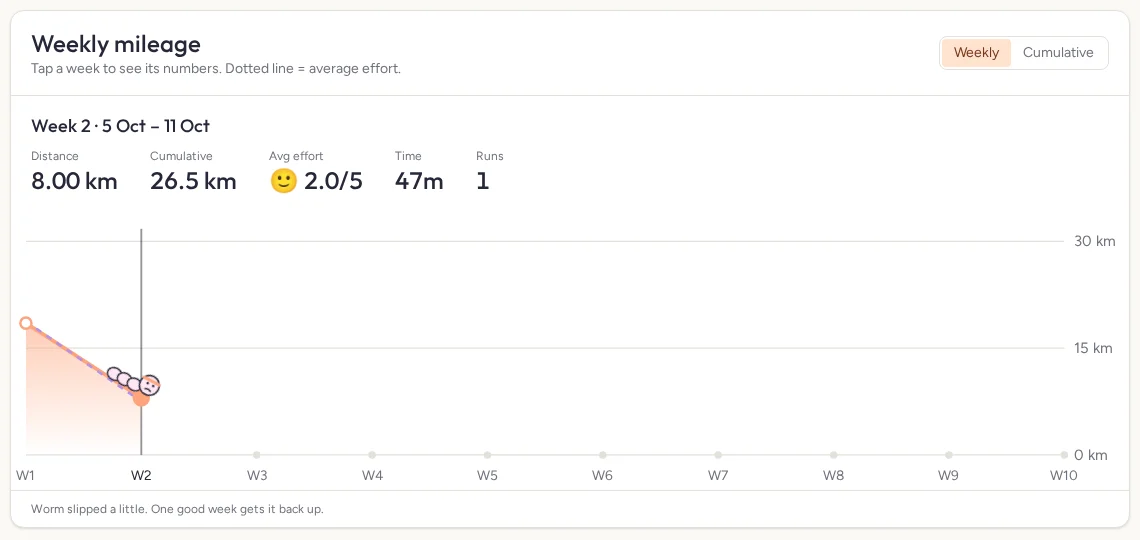
- Switch between Weekly and Cumulative.
- The dotted purple line is your average effort that week.
- Tap a week to see its numbers.
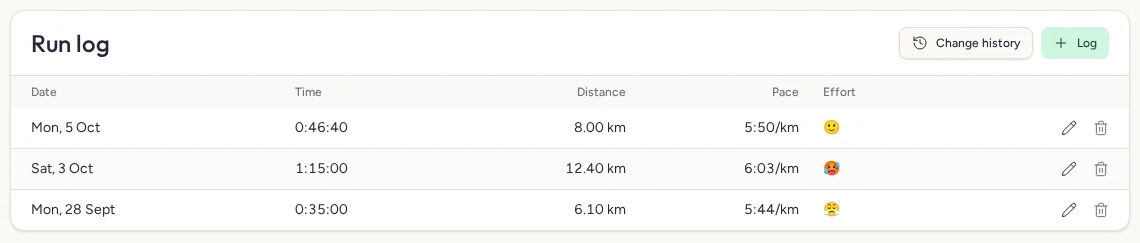
- The Run log lists date, time, distance, pace and effort.
- Tap the pencil to edit a run, or Change history to see every change.
4. Log tab
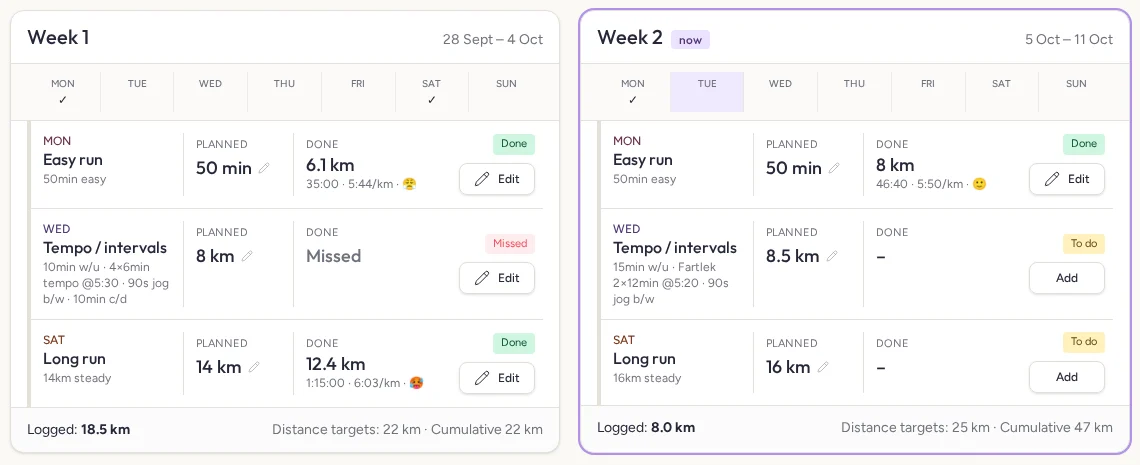
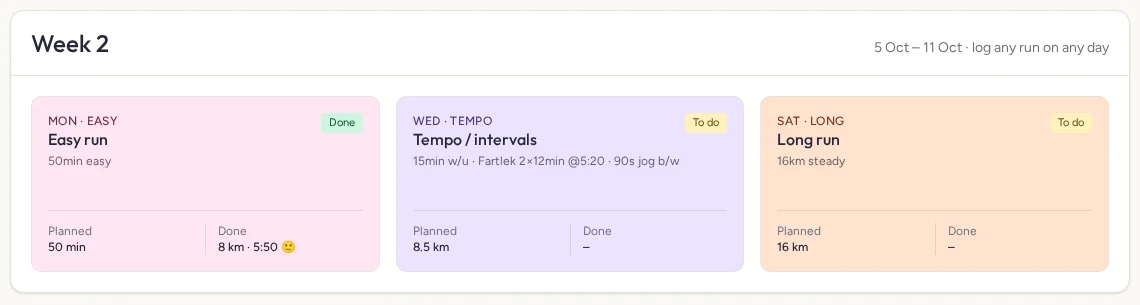
- Every week of your plan, one row per planned run: Planned next to Done.
- Statuses: Done, Skipped, Missed, To do, Upcoming.
- Tap a planned target (the pencil) to edit that run. Buddies see the change live.
- Tap Add / Log / Edit to record the run.
5. Logging a run
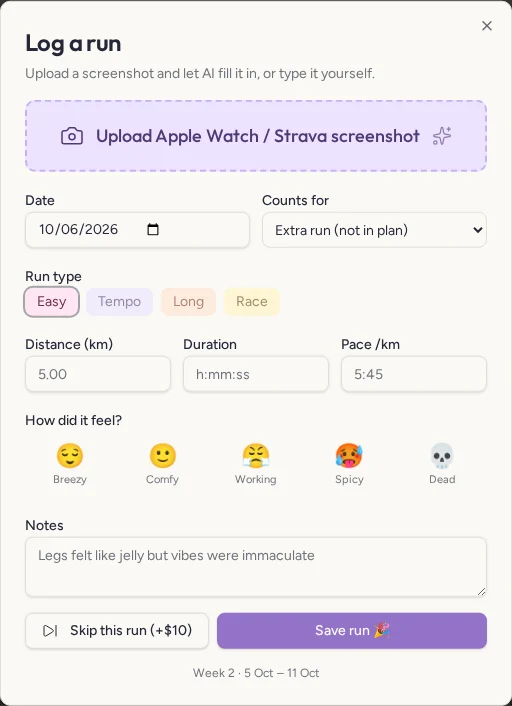
- Tap Log run (or the big + on mobile).
- Tap Upload Apple Watch / Strava screenshot. AI fills in distance, time, pace and date.
- Check the numbers, then pick which planned run it counts for.
- Rate how it felt (😌 to 💀) and add notes.
- Tap Save run.
The screenshot is saved privately with the run, under Media.
A run on the same day within 0.3 km of an existing one updates it instead of adding a duplicate.
Skip this run marks a planned run as skipped, which counts as a miss.
6. Hall of Shame
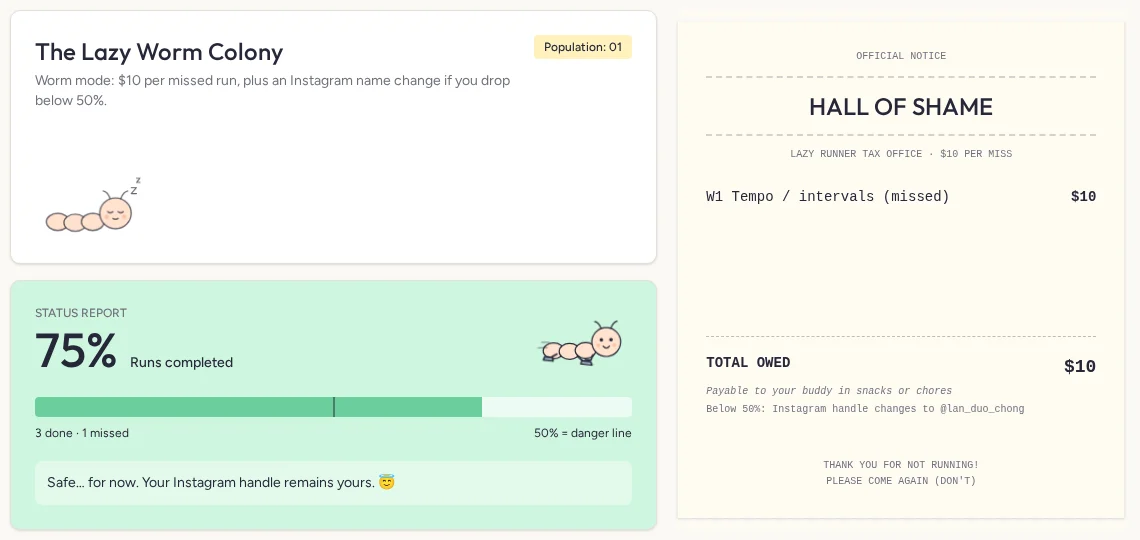
- Colony: one lazy worm joins for every missed or skipped run.
- Status report: your completion %, the danger line, and a message that changes as you slip.
- Receipt: each miss, its cost and the total owed.
A run counts as missed once its week ends with nothing logged. Completion % = runs done ÷ planned runs due so far.
7. Pace chart
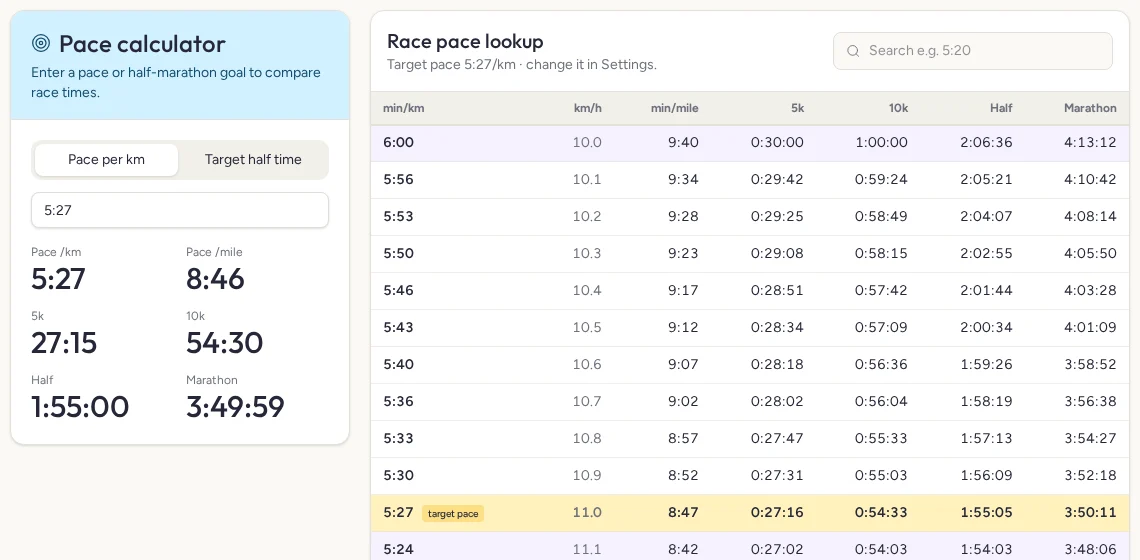
- Calculator: enter a pace per km or a half-marathon goal time to see 5K, 10K, half and marathon finishes.
- Lookup table: rows are shaded in 30-second bands so they're easy to scan.
- Your target pace row is highlighted. Change it in Settings → Running.
8. Strava
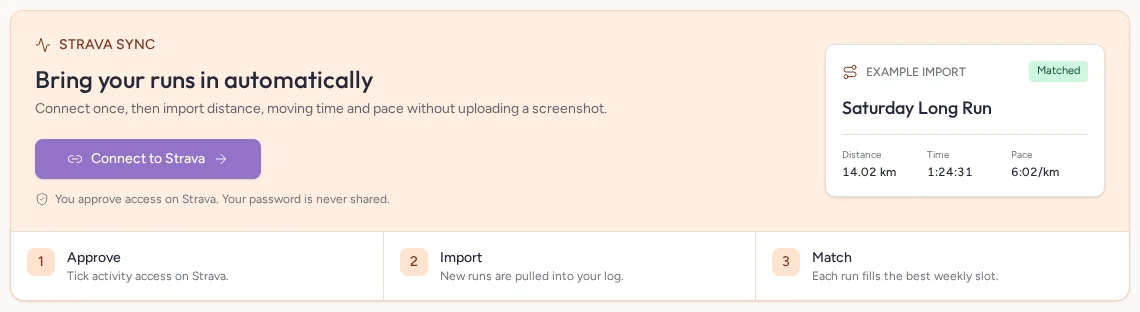
- Tap Connect to Strava and approve, keeping "View data about your activities" ticked.
- Runs since your plan started are imported.
- Each run fills the planned run on the same day, or the nearest open one that week.
- Runs already logged by screenshot aren't duplicated.
- Undo last sync removes everything the last sync added.
Strava only works on the published app address.
9. Buddies
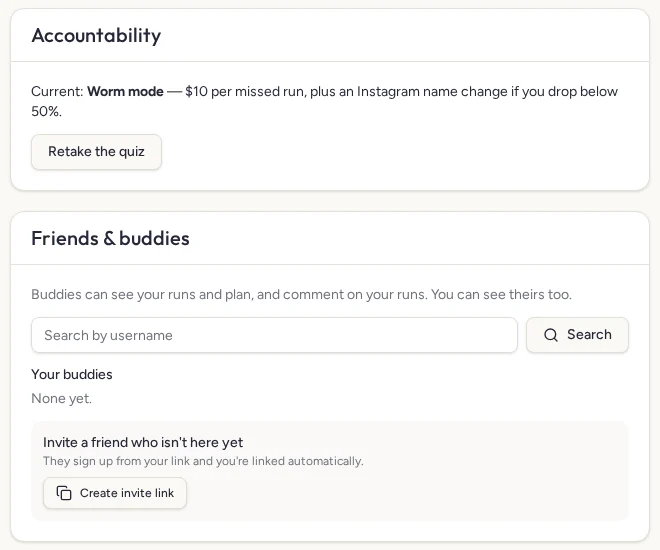
- Find friends: Settings → Friends & buddies. Search a username and tap Add. They accept from their Settings.
- Invite link: create one and send it. When your friend signs up from it, you're linked automatically.
- Buddies can see your runs, plan and Hall of Shame and comment in real time. They can't change your runs.
- Switch view: tap the header pill and pick a buddy. Their Home shows a Laoban's report on how hard (or lazy) they're being.
10. Privacy
- Your runs, plan, screenshots and comments are only visible to you and your accepted buddies.
- Usernames are visible to signed-in users so friends can find you.
11. Change history
Every time a run is added, edited or removed, it's recorded automatically. Open Home → Run log → Change history to see what changed, when, and whether it came from Strava or was entered manually.
App release notes
- Visual guide — this guide now has screenshots and step-by-step cards.
- Got Run Not? onboarding — Strava-built plans with Day 1 previews, 1–10 weekly runs, buddy selection and Activity Tax.
- Accounts & onboarding — username sign-up, survey-built AI plans, plan upload, accountability challenges, buddies, per-user Strava, Settings and this guide.
- Run log & history — run table, change history, Strava undo and duplicate protection.
- Run media — screenshots saved privately under each run.
- Strava sync — connect once, import and match runs.
- Hall of Shame revamp — worm bento with animated moods.
- Comments — real-time comments with quick cheers.